How to "pin" Pinback Chrome Extension in your browser
Written By Laurent
Last updated 10 months ago
Click the “puzzle” icon next to the browser address bar.

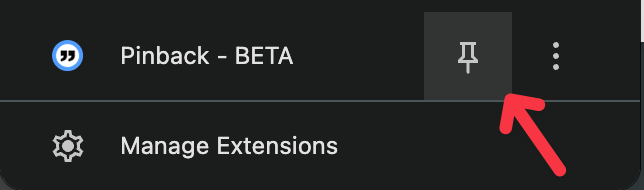
Locate, “Pinback” in the panel that just opened and click the “pin” icon.
The Pinback icon is now added!

That’s it! It was super E A S Y, right?
Now you can open and close Pinback directly by clicking this icon.
Was this helpful?
Still need help? Ask the team